Game Feel 101: Why Your Indie Game Doesn't Feel Satisfying Yet
Screen shake, hitstop, particles, and camera tricks. The six techniques that separate good indie games from great ones.
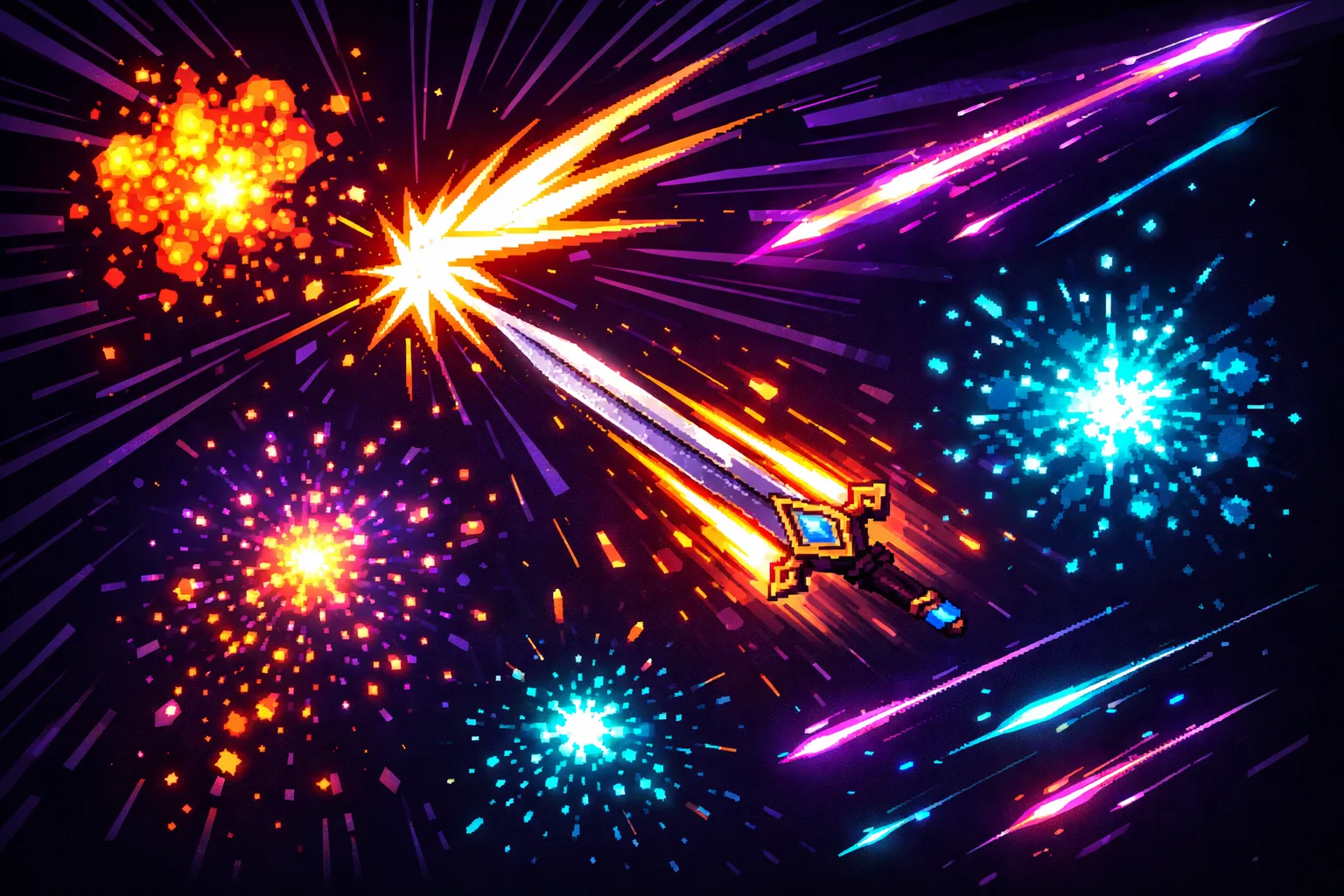
Your game works. The mechanics are solid. The art is decent. But something feels off. Every action feels flat. Enemies die without ceremony. Your character moves through the world like they are sliding on ice. The problem is not your code. The problem is juice.
Juice is every visual, audio, and kinetic reaction that makes player input feel good. It is the screen shake on a heavy swing, the white flash when an enemy takes damage, the brief freeze frame that sells the weight of a critical hit. None of these change how your game plays. All of them change how it feels.
In 2013, Jan Willem Nijman of Vlambeer gave a legendary talk called “The Art of Screenshake” at INDIGO Classes. He demonstrated the same simple shooter with and without juice. The version without effects looked like a student project. The version with screen shake, muzzle flash, and camera kick looked like a commercial game. Same code. Same mechanics. Completely different experience.
Here are the six core techniques that make the difference.
1. Screen Shake
Screen shake is the single fastest way to make any game feel more impactful. When the camera rattles on a hit, your brain reads it as force. A sword swing that moves the camera two pixels for 50 milliseconds feels powerful. The same swing without shake feels like waving a stick.
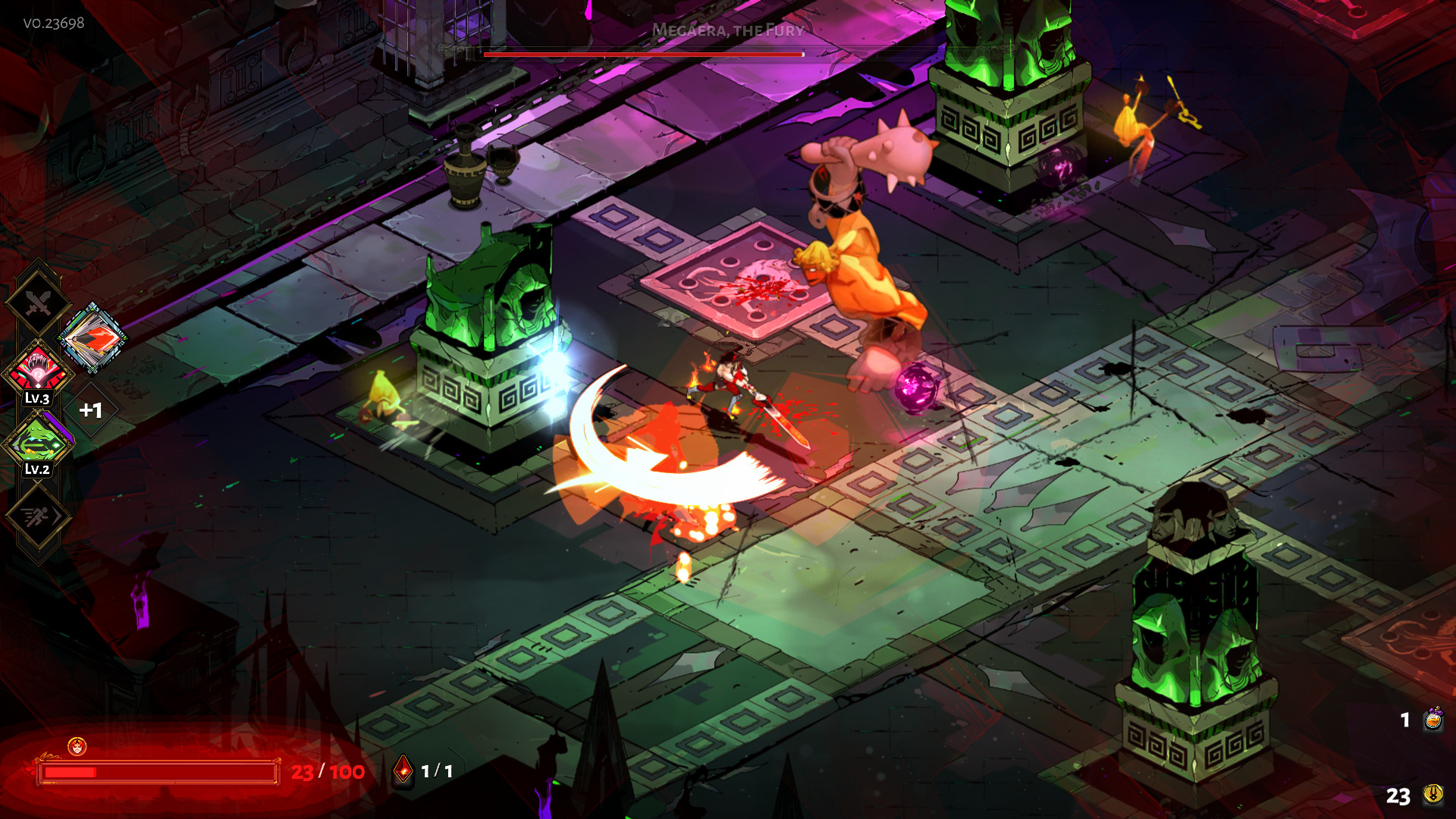
Hades is a masterclass in screen shake. Every dash strike creates a brief directional shake that matches the angle of attack. Heavier abilities produce bigger shakes. The shake decays quickly so it never feels nauseating. Supergiant tuned this obsessively, and it shows in every encounter.
Key principles: Keep it short (50 to 150 milliseconds). Decay the intensity over the duration instead of cutting off abruptly. Match shake intensity to the importance of the action. A basic attack gets a small nudge. A special ability gets a violent jolt. A critical hit shakes the screen and your confidence at the same time.
2. Hitstop and Freeze Frames
Hitstop is a brief pause (typically 2 to 5 frames) when an attack connects. The game freezes for a fraction of a second to let the impact register. Without hitstop, fast combat feels like you are swinging through air. With hitstop, every hit has weight.
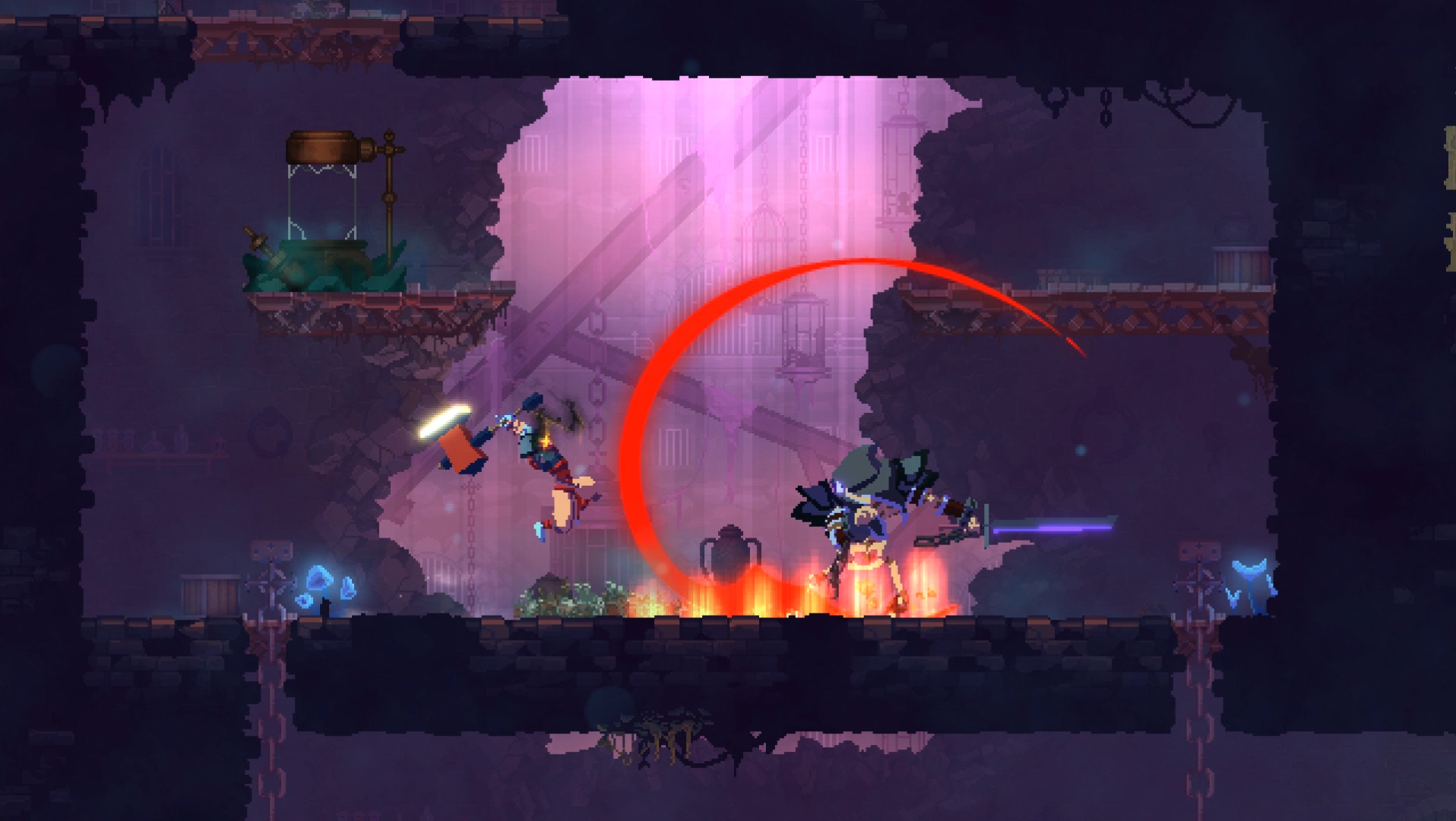
Dead Cells uses hitstop on every single melee hit. The game pauses for 2 to 3 frames on contact, giving your brain time to register the collision. Killing blows get a longer freeze. Boss deaths sometimes pause the entire screen for half a second while the camera zooms in. These tiny pauses make the combat system feel weighty and precise.
Key principles: Longer freeze equals heavier feel. Regular attacks get 2 to 3 frames. Charged attacks and critical hits get 4 to 6 frames. Boss kills can freeze for 10+ frames for dramatic effect. Both the attacker and the target should freeze together. If only the enemy pauses, it looks like lag.
3. Hit Flash and Damage Feedback
When an enemy takes damage, they need to react visually. The most common technique is the white flash: the enemy sprite turns solid white for 1 to 2 frames on hit. It is simple, universal, and instantly readable even in chaotic combat.
Enter the Gungeon layers multiple feedback signals on every hit. Enemies flash white. They get knocked backward in the direction of the bullet. Damage numbers pop up above them. The combination makes every single shot feel like it connects, even when you are firing into a crowd of dozens of enemies.
Knockback serves double duty. It communicates the force of your attack and it gives you gameplay information. If an enemy barely flinches, it is a tank. If it flies across the room, you just landed something powerful. This is visual design doing the teaching instead of UI text.
Key principles: White flash is non-negotiable. Every enemy should flash on hit. Add knockback proportional to damage. Damage numbers are optional but satisfying. Tint the flash color to match the damage type if your game has elemental systems.
4. Particles and Trails
Particles are the confetti of game juice. They fill the space between actions and make the world feel alive. Dust clouds on landing, sparks on wall contact, blood splatter on hit, smoke trails behind projectiles. Each one costs almost nothing to implement but adds enormous visual richness.
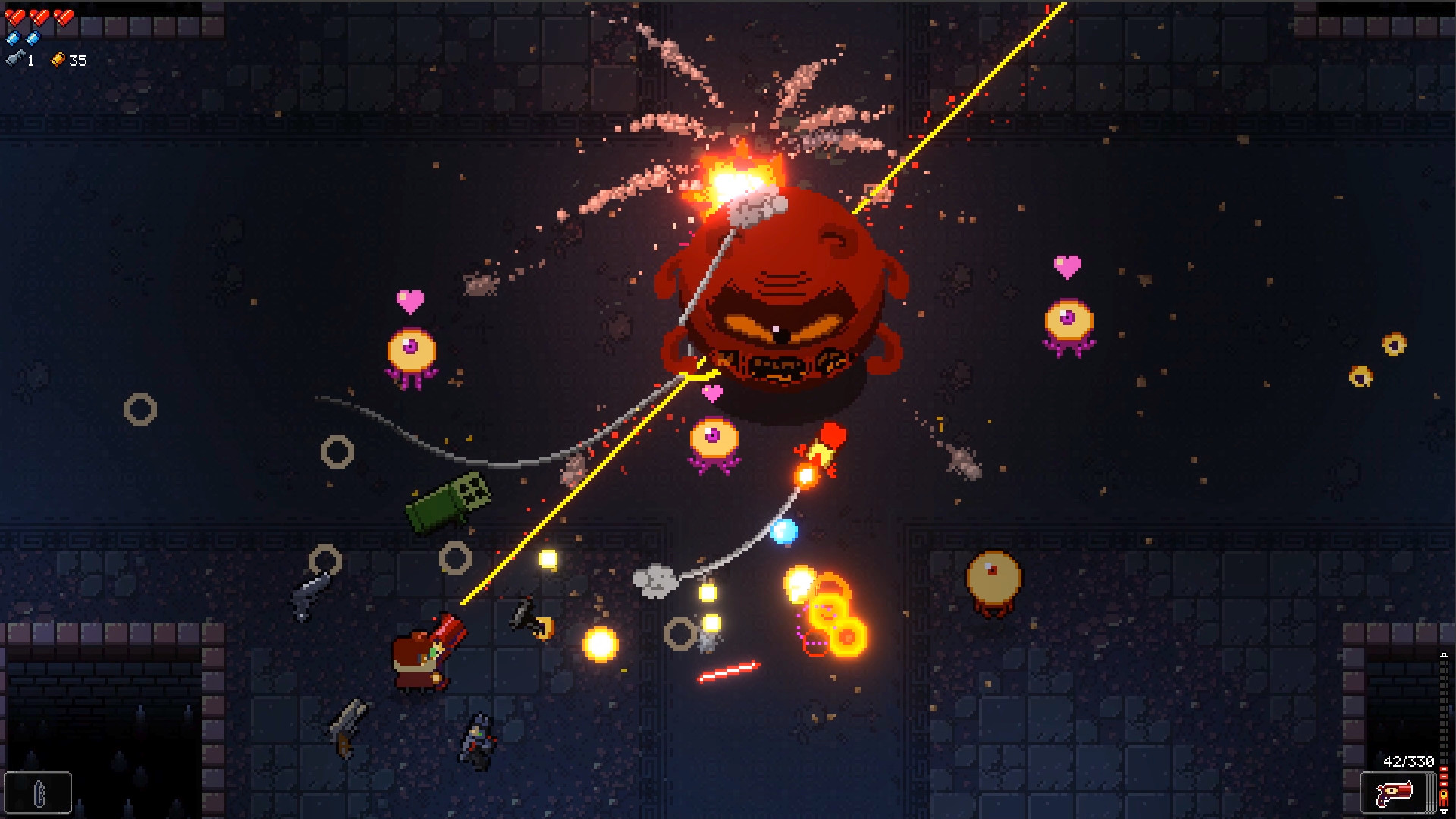
Enter the Gungeon is built on particles. Every bullet has a trail. Every dodge roll kicks up dust. Every explosion spawns dozens of debris particles. Every gun has a unique muzzle flash. The screen is constantly alive with motion, even during quiet moments. Bullet trails serve a gameplay purpose too: they help you read projectile paths in a genre where dodging is everything.
Key principles: Particles should communicate game state, not just look pretty. Dust on landing tells the player they touched ground. Sparks on contact say “this surface is solid.” Trail particles show projectile direction. Start with three particle types: impact, movement, and ambient. You can add shader effects later for extra polish.
5. Camera Work
A static camera is a dead camera. The way the camera follows the player, reacts to impacts, and frames the action changes how the entire game reads. Subtle camera work is invisible to players but immediately noticeable when it is missing.
Hades uses several camera techniques simultaneously. The camera follows Zagreus with a slight delay (lerp), creating a sense of momentum. During powerful abilities, the camera pulls back slightly to frame the action. On critical hits, a subtle zoom emphasizes the impact. None of these effects are large enough to distract, but together they make the combat feel cinematic.
Key principles: Never snap the camera directly to the player position. Use linear interpolation (lerp) so the camera smoothly follows with a 0.1 to 0.3 second delay. Add a slight zoom on heavy impacts. Pull the camera back when many enemies are on screen so the player can read the battlefield. Camera shake and camera zoom can stack with screen shake for layered impact.
6. Sound Design as Juice
Sound is half of game feel. A perfectly animated sword swing feels weak if the audio is a quiet click. The same swing with a layered whoosh plus a meaty impact sound feels devastating. Sound feedback reinforces every visual signal your game sends.
Effective game audio uses layering. A melee hit in Dead Cells plays at least three sounds simultaneously: the swing whoosh, the contact thud, and the enemy reaction cry. Each layer adds dimension. The whoosh sells speed. The thud sells weight. The cry confirms the hit connected. Remove any one of these, and the attack feels noticeably worse.
Pitch variation prevents repetition fatigue. When you swing a sword fifty times per minute, hearing the exact same sound every time becomes grating. Randomize the pitch by 5 to 15 percent on each swing. The player will never notice the variation consciously, but their brain will stop flagging the sound as repetitive.
Silence is juice too. A brief audio dip (50 to 100 milliseconds of reduced volume) right before a boss attack creates tension. Dead space makes the incoming hit feel heavier. Film directors use this technique constantly. Your game should too.
The Juice Checklist
For every player action in your game, ask these six questions:
- Does the screen shake? Match intensity to the action’s importance.
- Does the game pause on impact? Even 2 frames of hitstop adds weight.
- Does the target flash? White flash plus knockback is the minimum.
- Do particles spawn? Impact particles, movement dust, ambient effects.
- Does the camera react? Zoom, pull back, or follow delay.
- Does it sound satisfying? Layer multiple sounds. Vary the pitch.
If you answer “no” to three or more of these for your core mechanic, that is why your game feels flat.
You do not need to implement all six at once. Pick one mechanic in your game. The one you use most often. Add screen shake and hitstop to it today. Play it for ten minutes and feel the difference. Then add the rest.
The gap between “functional” and “fun” is not more content. It is not more mechanics. It is the sixty milliseconds of screen shake that tell the player “that hit mattered.” Start there. If you are building your first game, juice is the fastest way to make it feel real. If you want to study the masters, explore games like Hades and games like Dead Cells for inspiration.
Now close this tab and go add some juice.

Written by
Stive Godin
Web dev by profession, gamer by passion. Always chasing the next great game and the next personal best in the gym. Building websites, playing games, and lifting heavy things.