Godot 4.6 Finally Lets You Debug at Runtime. Here Is How.
Godot 4.6 introduces the ObjectDB Profiler, a built-in runtime debugging tool that lets you snapshot live objects, diff them over time, and track memory leaks without guesswork.
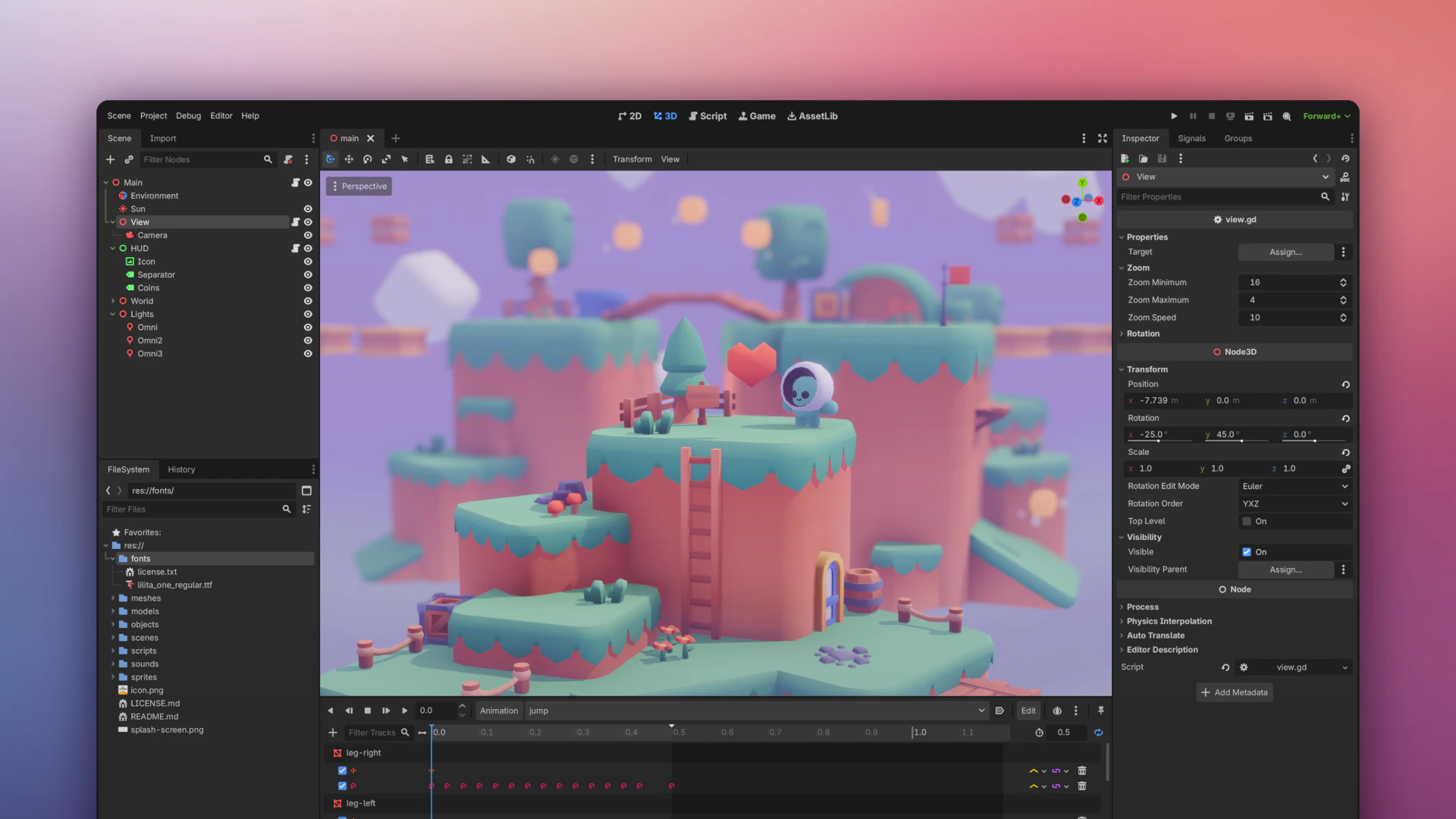
Godot 4.6 launched on January 26, 2026, and it might be the most important update since 4.0. Not because it adds flashy rendering features (though it does). Because it finally gives developers a proper way to debug their games at runtime.
The headline feature is the ObjectDB Profiler, a built-in tool that lets you capture snapshots of every live object in your running game, then compare snapshots to find exactly what was created, destroyed, or leaked. If you have ever spent hours adding print statements to track down a memory leak, this changes everything.
We covered the full engine comparison between Godot, Unity, and Unreal earlier this month. Godot 4.6 strengthens its position as the best free engine for indie developers.
The ObjectDB Profiler: Runtime Debugging Done Right
Before 4.6, finding memory leaks in Godot meant guesswork. You would add logging, watch the Output panel, and try to correlate which objects were not being freed. The new ObjectDB Profiler tab in the Debugger bottom panel eliminates this entirely.
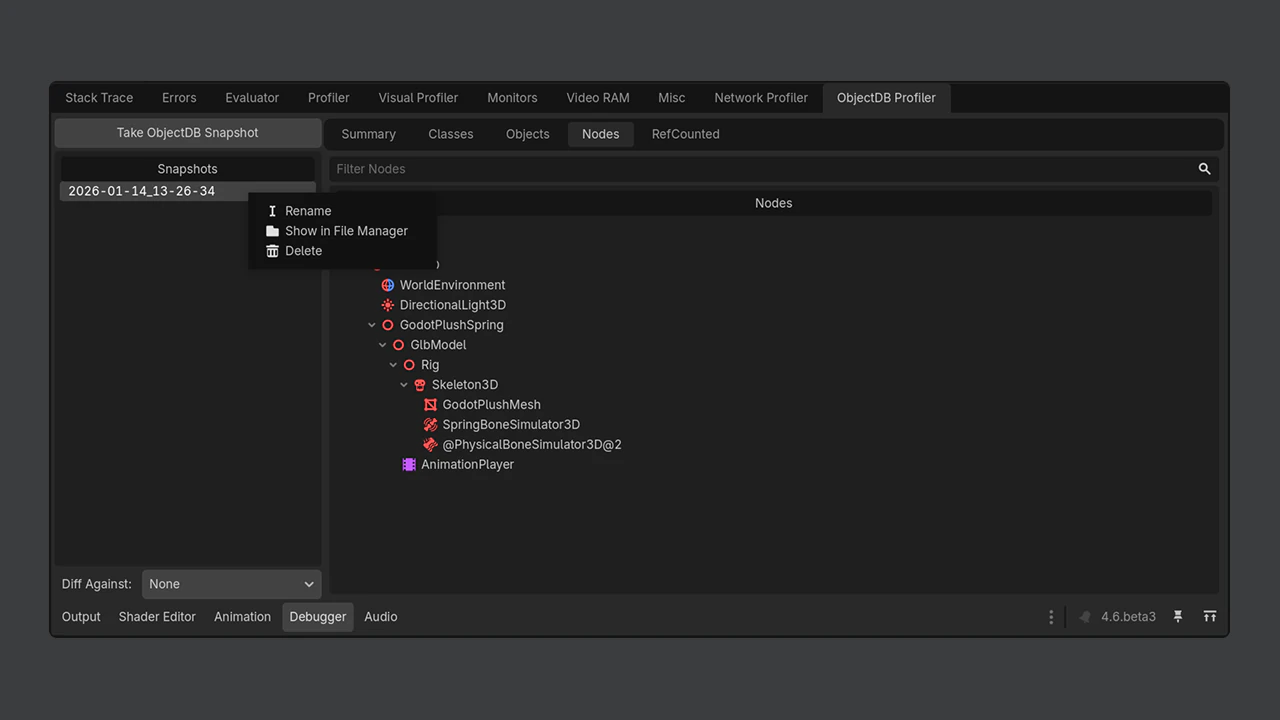
Here is how it works. While your game is running in the editor, hit the “Take ObjectDB Snapshot” button. This captures the complete state of every live object in memory. Take another snapshot later. Then diff the two. The profiler shows you exactly what changed: objects created in green, objects destroyed in red.
The profiler has six viewing modes:
- Summary View shows total memory, object counts, and potential issues at a glance
- Classes View displays a hierarchical class tree with instance counts, filterable and sortable
- Objects View lists every object with reference tracking
- Nodes View renders the scene tree, including orphaned nodes
- RefCounted View focuses on reference counted objects specifically
- JSON View dumps the raw snapshot data for external analysis
Snapshots are saved as compressed .odb_snapshot files in the user://objectdb_snapshots folder. You can rename them, delete them, or open them in a file browser through the right click menu.
This is comparable to Chrome’s heap snapshot tool or Unity’s Memory Profiler. The fact that Godot now has this built in, for free, is a significant step forward for the engine.
More Debugging Improvements
The ObjectDB Profiler is the biggest debugging addition, but 4.6 packs several other quality of life changes for debugging workflows.
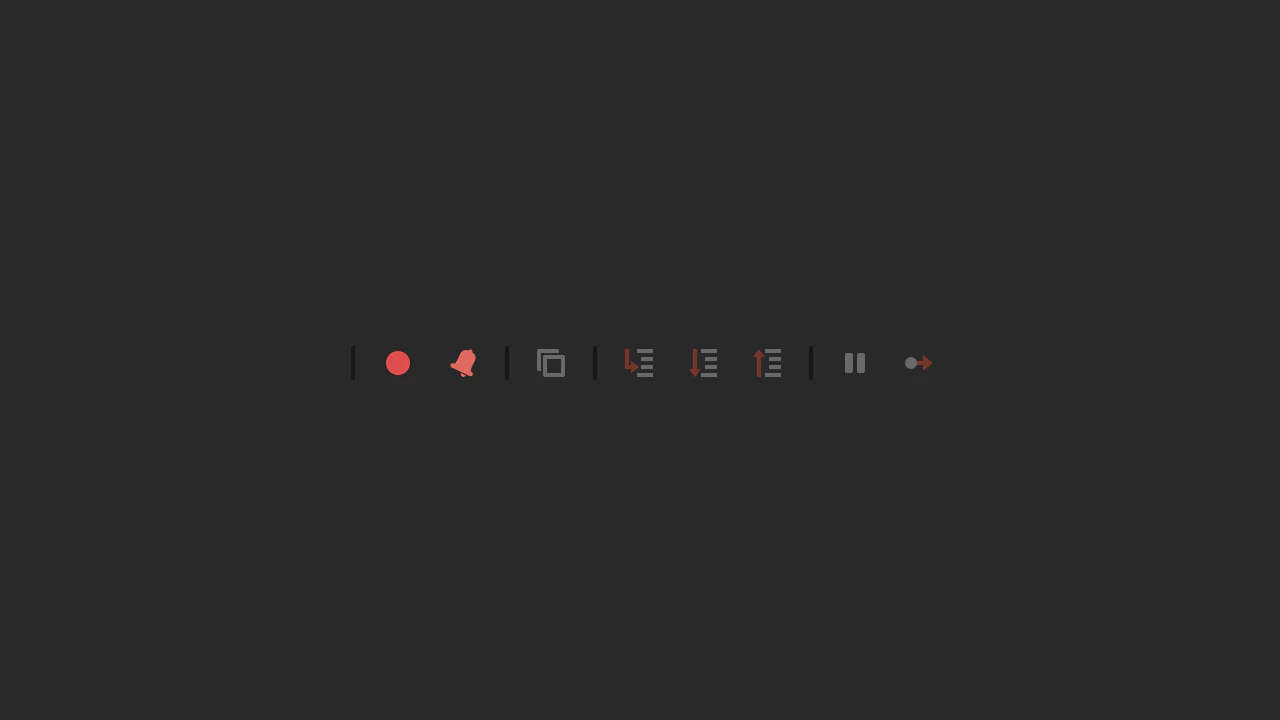
Step Out button in the GDScript debugger. Previously, you could step into functions and step over lines. Now you can step out of the current function to return to the caller. A small addition that saves real time during debugging sessions.
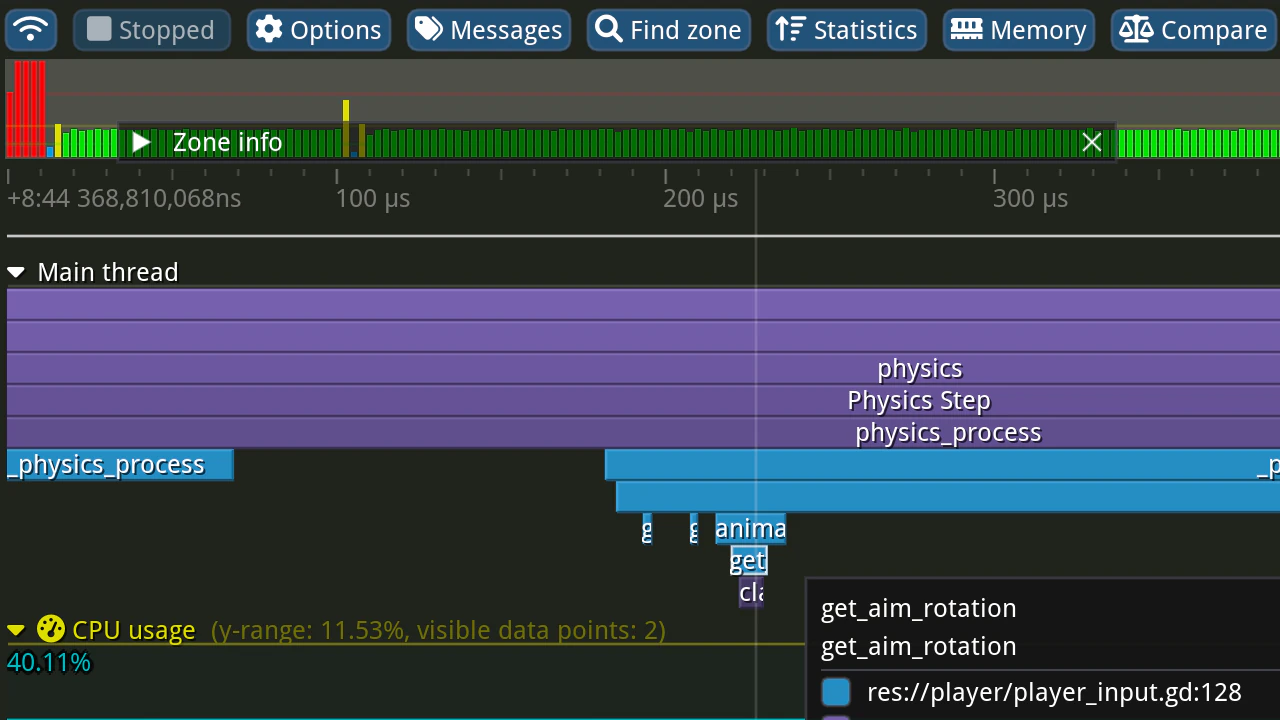
C++ tracing profiler support. Godot 4.6 adds native integration with Tracy, Perfetto, and Apple Instruments. This means you can profile GDScript performance alongside C++ engine internals using professional grade tools.
Clickable error links. Errors in the Output panel are now clickable. Click a file path and line number in an error message, and it jumps straight to that location in the script editor. If you use an external editor, it opens there instead.
In editor game speed controls. You can now slow down or speed up your game while it is running in the editor. Perfect for testing physics interactions in slow motion or fast forwarding through long sequences.
The New Editor Theme
Godot 4.6 ships with a new default theme called “Modern”. It replaces the old blue tinted look with a cleaner, neutral gray interface. The previous style is still available as “Classic” in the editor settings.
The Modern theme started as a popular community addon called “Godot Minimal Theme” by passivestar. The Godot team collaborated with passivestar and Michael Alexsander to integrate it officially. The result is reduced visual clutter, better contrast, and a neutral viewport background that no longer distorts your game’s color balance.
Other Major Features in 4.6
Jolt Physics Is Now Default
Jolt Physics is now the default 3D physics engine for all new projects. It replaces Godot’s older in house solver. Jolt is the same physics engine used in AAA titles like Death Stranding 2. Existing projects are not affected and keep their current physics configuration.
LibGodot: Embed the Engine Anywhere
LibGodot lets you use Godot as an embedded library inside other applications. This means custom level editors, tool pipelines, and non traditional game projects can integrate the full engine without running the editor. Initial support covers Linux, Windows, and macOS.
Inverse Kinematics Returns
IK was missing from the early Godot 4.x releases. Godot 4.6 brings it back with a completely new modular system built on SkeletonModifier3D. Available solvers include TwoBoneIK3D, SplineIK3D, FABRIK3D, CCDIK3D, and JacobianIK3D, with support for twist and angular velocity constraints.
Screen Space Reflections Overhaul
The SSR system got a full rewrite. The new implementation reduces visual artifacts at grazing angles, handles roughness better, and ships with both full resolution and half resolution modes. Performance is improved across the board.
Flexible Docking System
All editor panels, including bottom panels, can now be moved, rearranged, docked to different sides, or floated as independent windows. You can finally arrange the editor to match how you actually work.
Android Improvements
The Android workflow got three big upgrades: Scrcpy integration for mirroring device output to your screen, Gradle build support from the Android editor via the GABE companion app, and Storage Access Framework (SAF) support that eliminates the need for broad file permissions.
Why This Matters for Indie Developers
Runtime debugging has been one of Godot’s weakest areas compared to Unity and Unreal. Unity has its Memory Profiler and Frame Debugger. Unreal has Unreal Insights. Godot developers had to rely on print statements, community addons, and patience.
The ObjectDB Profiler changes that equation. It is built in, it is free, and it works today. Combined with Tracy profiler support, the step out button, and clickable error links, Godot 4.6 makes the debugging experience significantly more professional.
If you are starting a new project in 2026, Godot 4.6 is the strongest version of the engine yet. Read our full comparison guide to see how it stacks up against Unity 6 and Unreal Engine 5.7. If you are building your first game, check out our beginner’s guide to coding your first game.
Godot 4.6 is available now as a free download from godotengine.org.

Written by
Stive Godin
Web dev by profession, gamer by passion. Always chasing the next great game and the next personal best in the gym. Building websites, playing games, and lifting heavy things.